Clipboard history
Automatically keep copied text, links, images, and files.
 贴贴TieTie
FOR MAC · LOCAL FIRST
A clipboard built for better collaboration with AI. TieTie keeps text, images, links, and files close so you can find, paste, drag, and reuse them when they matter.
LOCAL HISTORY · NO ACCOUNT · macOS 26+
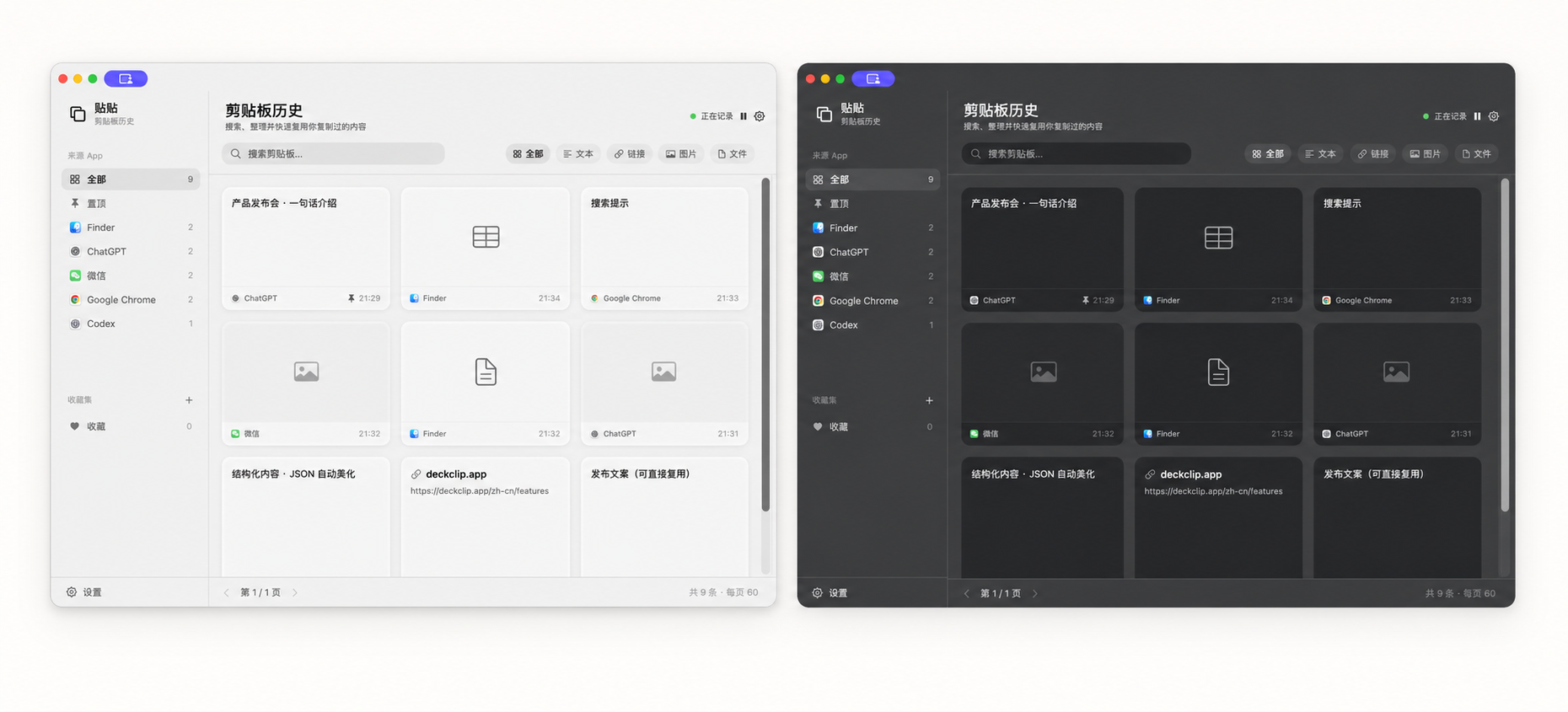
Text, links, images, and files stay in history as themselves. Search or filter once, then continue the next step.
Automatically keep copied text, links, images, and files.
Open TieTie from the right edge without taking over the screen.
Narrow history by keyword or content type.
Select multiple clips and paste them back in order.
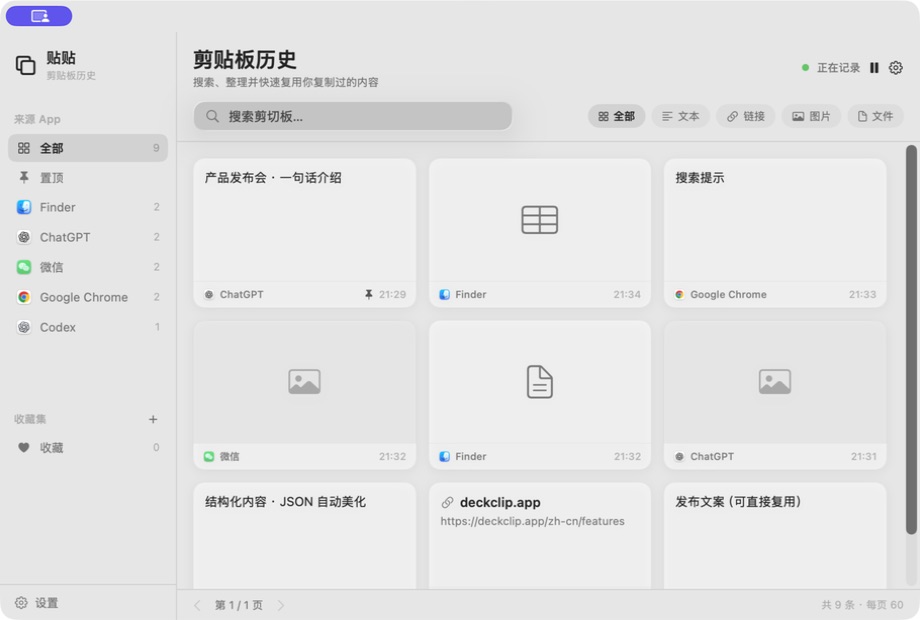
Open the horizontal panel with a shortcut or reveal the side rail at the screen edge. Retrieve content without breaking the work in front of you.
KEYBOARD SHORTCUT

03 / CONTEXT, ON YOUR TERMS
Prompts, reference links, captures, and files do not have to scatter across chats, browsers, and your desktop. Keep them locally in TieTie; you always decide what comes next.
Your clipboard history stays on this Mac.
Text, images, links, and files appear as the things they are.
Search, drag, and paste all begin with your choice.
TIE TIE / FOR MAC
Version 0.1.29 · August 7, 2026
Download TieTie↓